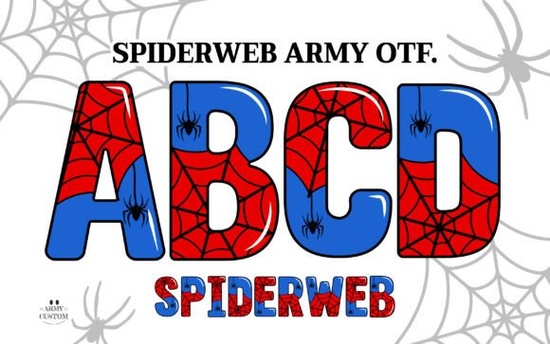
If you are planning a Halloween project or need a typeface with a mysterious vibe, finding the right typography makes a huge difference. The Spiderweb Army Font is designed to bring that specific aesthetic to your work without requiring complex layering. It comes with built-in textures that save time during the design process. This resource is particularly useful for crafters who want instant visual impact on their materials. Many users wonder about compatibility before downloading, so it is important to know how this file type behaves in different programs.
The package includes both a standard black version and a special color version. The black version is fully compatible with Cricut Design Space and other common cutting machines. This means you can cut vinyl or heat transfer vinyl directly using the solid silhouette. However, the color version functions differently because it is an OpenType SVG color font. Understanding this distinction ensures you select the right file for your specific tool.
Will this font work with Cricut Design Space?
If your main goal is to use a cutting machine, you need to choose the right file from the package. The solid black version works perfectly with Cricut Design Space. You can type your text, weld it if necessary, and send it to the machine just like any other standard font. This is ideal for making stickers, decals, or iron-on designs where you only need one color of material.
The color version, however, does not work within Cricut Design Space. This is a limitation of the software rather than the font itself. Most cutting machine software does not yet support OpenType SVG color fonts. If you try to load the color file there, it may not show the web texture or the dual tones. For cutting machines, stick to the black version included in the download to avoid frustration during production.
What software supports color fonts?
To use the full colorful potential of this typeface, you need specific design software. The color font works with Adobe Photoshop CC 2017 and newer versions. It is also compatible with Adobe Illustrator CC 2018 and above. When you type with this font in these programs, the spiderweb texture and color variations appear automatically. You do not need to apply extra effects or download separate texture images.
This feature saves significant time for digital designers. You can create ready-to-print graphics for shirts or mugs without spending hours adding distress effects manually. If you do not have access to Adobe Creative Cloud, do not worry. The creator includes bonus PNG files to broaden creative flexibility. These images can be used in apps that do not support color fonts, such as Canva or standard word processors.
How can I use the bonus files?
The included PNG files are a great backup option for various projects. You can import these directly into print-on-demand platforms like Printful or Printify. Since they are transparent images, you can place them over any background color on your mockups. This is especially helpful if you are selling custom apparel and need to show customers what the design looks like on different shirt colors.
For those who enjoy mixing styles, you might want to pair this spooky typeface with something lighter. While this font brings a dark aesthetic, you could try a floral style for contrast in a larger branding project. Balancing heavy textures with simpler elements often results in a more professional look. It helps prevent the design from feeling too cluttered or hard to read on smaller items.
Is this suitable for small business use?
Yes, this resource is licensed for commercial use, which is essential for small businesses and POD sellers. You can use it to create physical products for sale, such as t-shirts, hoodies, mugs, and tote bags. Always check the specific license file included in the download for any restrictions on the number of sales or specific platforms. Generally, these types of fonts allow for unlimited end products as long as you are not reselling the font file itself.
When building a portfolio of designs, variety is key. If you are focusing on seasonal items, having a reliable spooky font is necessary for Q4 sales. You can explore more colorful typography to round out your collection for other holidays. Having a diverse library ensures you are ready for any customer request throughout the year without rushing to find new assets.
What are the best practices for installation?
Before you begin designing, make sure to install the font files correctly on your computer. Unzip the downloaded folder first. On Windows, you can right-click the OTF file and select Install. On a Mac, double-click the file and click Install Font in the preview window. Restart your design software after installation to ensure the font appears in your list.
Remember to keep the original downloaded folder safe. If you change computers or need to reinstall your system, you will need these files again. Backing up your creative assets is a simple habit that prevents lost work later. Proper organization helps you locate the right version quickly when deadlines approach.
Getting started with new typography should be straightforward. Here is a quick checklist to help you begin your project:
- Unzip the download folder to access all file types.
- Install the OTF files on your computer before opening design software.
- Use the black version for Cricut or Silhouette cutting projects.
- Use the color version or PNGs for print-on-demand mockups.
- Check the license terms for commercial usage limits.
- Test print a sample to ensure the texture reads well on fabric.
By following these steps, you can integrate this typeface into your workflow efficiently. Whether you are making Halloween decorations or selling custom gear, having the right tools simplifies the process.
Download Now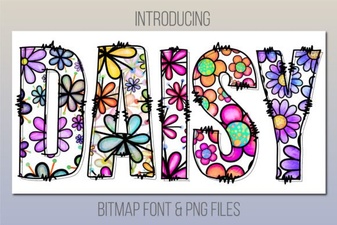 Design Projects with the Daisy Font
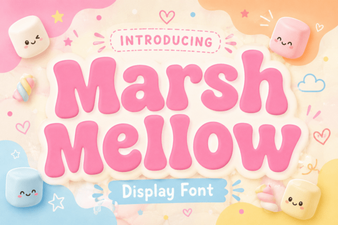 Get Creative with the Marshmellow Font
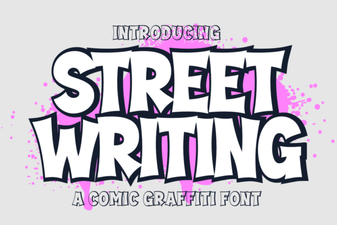 Modern Street Writing Fonts for Design Projects
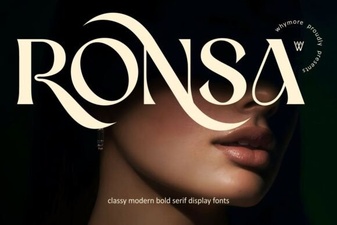 Ronsa Font: Creative Typography for Modern Design
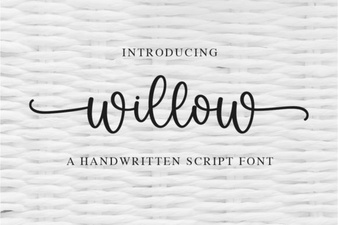 Willow Font: Free Modern Calligraphy Style for Designers
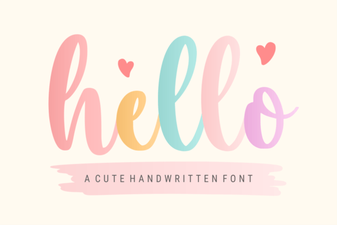 Hello Font: Craft Elegant Typography for Your Designs