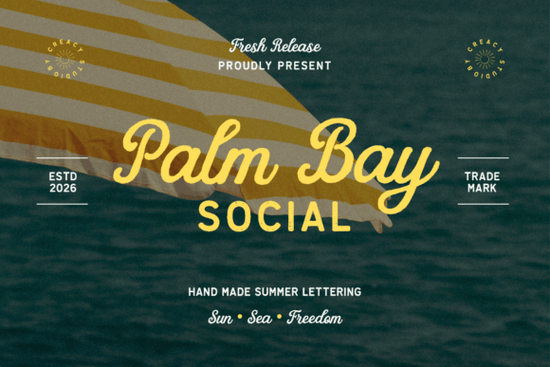
If you are looking for a typeface that captures the feeling of a warm breeze and old vacation postcards, you need something with genuine character. The Palm Bay Social Font is a great example of this style. It brings back memories of coastal resorts and beach clubs without feeling overly dated. For designers and crafters, finding the right balance between readability and style is often the hardest part of a project. This duo offers a solution by pairing a smooth retro script with a distressed sans serif, giving you flexibility in a single download.
Many creators struggle to find fonts that work well together without spending hours testing combinations. When you choose a pre-matched duo, you save time on hierarchy and contrast. This specific set encapsulates the sunny allure of vintage travel imagery, making it ideal for projects that need to feel personal and inviting. Whether you are designing for a local business or creating print-on-demand products, the aesthetic matters. You want your audience to feel relaxed and nostalgic the moment they see your design.
Why choose a retro script and sans serif combo?
Using two different styles in one project creates visual interest. The script portion draws the eye and adds emotion, while the sans serif provides structure and clarity. In this case, the distressed undertones of the block letters add texture that feels handcrafted. This is particularly useful for apparel designs where a flat vector look might feel too digital. By incorporating texture, your work feels more tangible and authentic.
Contrast is key when mixing typography. If you use two scripts, it can look messy. If you use two heavy sans serifs, it might feel too rigid. A combination like this allows you to highlight key words, such as a brand name or a event date, while keeping supporting information easy to read. If you are exploring similar coastal themed typefaces, you will notice this pattern often. It works because it mimics how we naturally speak and read, emphasizing the important parts while keeping the flow smooth.
What projects fit this coastal aesthetic?
This style is versatile enough for more than just summer sales. While it obviously fits sea-side branding, it also works for wedding invitations that have a relaxed vibe. Think of beach weddings or casual engagements where formal calligraphy feels too stiff. Social media posts also benefit from this look, especially for lifestyle brands or travel bloggers. The texture holds up well on Instagram stories or Pinterest pins where standing out in a feed is crucial.
For print-on-demand sellers, t-shirts and tote bags are perfect candidates. The distressed look hides minor printing imperfections and adds to the vintage feel. You might also consider using it for packaging labels on handmade goods like soaps or candles. If you need something slightly more playful for kids' products, you could compare it with another playful script option to see which fits your niche better. The goal is to match the font personality with the product personality.
How do you pair this with other typography?
Even though this is a duo, you might want to add a third font for body text or detailed descriptions. A clean, simple sans serif without distress works best here. You want to avoid competing textures. If you are building a larger library, looking into a collection of personal lettering can give you more options for secondary elements. Keep the hierarchy clear: use the script for headlines, the distressed sans for subheads, and a plain font for fine print.
Color choices also impact how these fonts are perceived. Earth tones, faded blues, and sandy beiges complement the vintage travel theme. Avoid neon colors unless you are aiming for a specific retro-pop look. When evaluating vintage-inspired duo sets, pay attention to how the weights balance. You want the script to be legible even at smaller sizes. Sometimes scaling the sans serif slightly larger than the script creates a modern twist on the classic look.
What should you check before downloading?
Before adding any new asset to your toolkit, verify the license terms. Most creative assets allow for commercial use, but there may be limits on the number of sales or specific platforms. Ensure you have the right file formats for your software, such as OTF or TTF. It is also helpful to test the glyphs and alternates. Many modern scripts include swashes or ligatures that let you customize the look. Simple friendly handwritten styles often have fewer alternates, so a duo like this offers more creative control.
Installation is usually straightforward, but restarting your design software is necessary to see the new fonts. Once installed, create a few test mockups. See how the letters kern together at different sizes. Distressed fonts can sometimes lose detail when shrunk too small, so check readability on mobile screens. This ensures your branding remains consistent across all customer touchpoints.
Quick Design Checklist
- Check Legibility: Ensure the script is readable at small sizes on mobile devices.
- Verify License: Confirm commercial rights for print-on-demand or client work.
- Test Colors: Try earth tones or muted pastels to match the vintage vibe.
- Balance Weights: Adjust the size ratio between the script and the sans serif.
- Export Formats: Save files in PNG for web and SVG or PDF for print production.
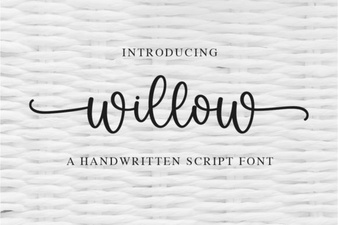 Willow Font: Free Modern Calligraphy Style for Designers
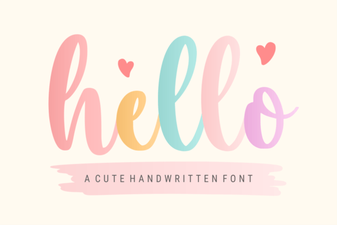 Hello Font: Craft Elegant Typography for Your Designs
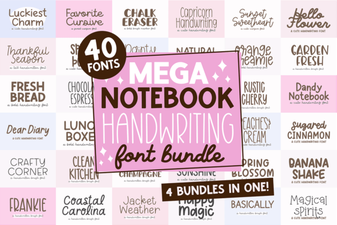 Create Beautiful Handwriting Projects with Mega Notebook Fonts
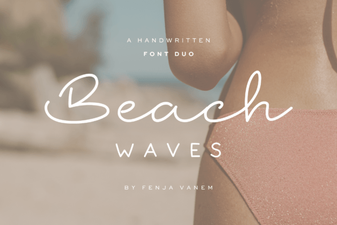 Craft Projects with Beach Waves Duo Font
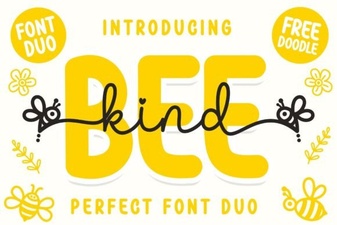 Bee Kind Duo Font for Creative Design Projects
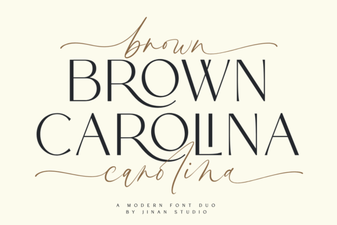 The Brown Carolina Duo Font for Creative Projects